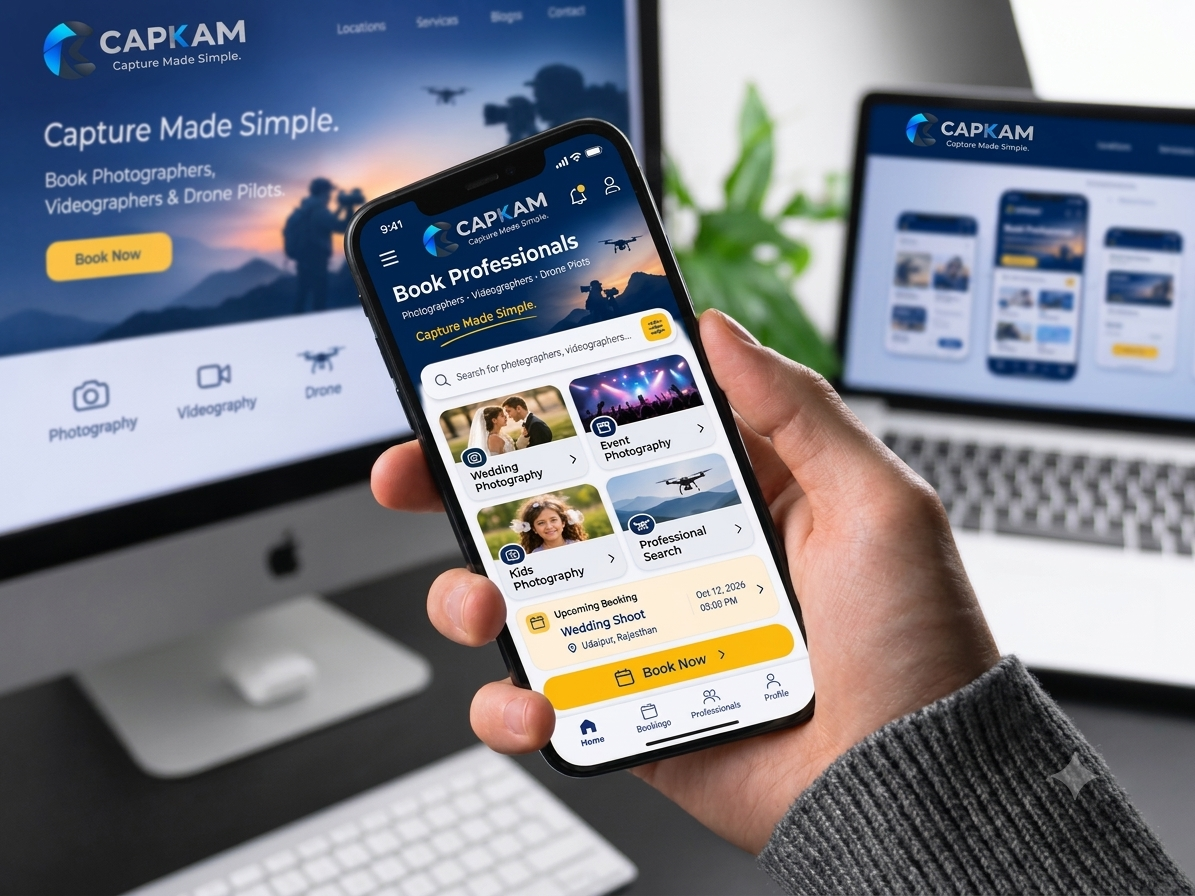
Simple for clients. Rewarding for creators.
Discover on the web, then book, pay, collaborate and track everything in the CAPKAM app.
How CAPKAM works for you
Choose a service
Pick photographer, videographer or drone pilot.
Search by location
Find verified professionals who serve your city or area.
Compare profiles
View portfolios, services, pricing and reviews.
Send requirement
Share your date, location and brief - get a quote back.
Accept & pay
Pay advance or full amount securely in the app.
Approve & review
Approve the completed job and rate your professional.
Register
Create your professional account in the app.
Complete KYC
Submit documents and get verified by CAPKAM.
Set up your profile
Portfolio, skills, services, pricing, availability and service area.
Work & get paid
Accept requests, complete jobs, and track earnings and payouts.
KYC checklist
Your documents are only visible to authorised CAPKAM verification staff.
Register your studio
Create a Company / Studio account with GST details.
Add your team
Invite multiple team members under one business account.
Create a project
Add project details, location, date & time and the crew you need.
Invite professionals
Invite photographers, videographers and drone pilots together.
Collaborate
Shared project chat and live project status for everyone.
Invoices & history
GST invoices, payment history and completed project records.
Project / Job creation is available only to registered Company / Studio accounts.
Every booking, tracked in 11 clear stages.
The same status is shown to you, your professional and CAPKAM support - always in sync.
Can I book a professional on this website?
The website is for discovery. Browse professionals, services and equipment here, then complete booking, payment and tracking in the CAPKAM mobile app on Android or iOS.
Are professionals on CAPKAM verified?
Yes. Every photographer, videographer and drone pilot completes KYC - identity, address, bank details and any required licence - and is approved by the CAPKAM team before appearing in search.
How does payment work?
You pay securely in the app. CAPKAM holds the payment and releases it to the professional only after the job is completed and you approve it.
Can my company hire several professionals for one project?
Yes. Registered Companies / Studios can create a project, invite photographers, videographers and drone pilots together, chat with the team and download GST invoices.
Are there travel charges for outstation shoots?
Depending on distance from the professional's service area, travel, outstation or accommodation charges may apply. They are shown clearly in the quote before you pay.
Can I cancel or reschedule?
Bookings can be rescheduled or cancelled from the app. Applicable refunds follow CAPKAM's cancellation policy and are tracked in your booking history.
Plan your shoot with CAPKAM.
Send requirements, compare quotes, pay securely, chat with your professional and track every step - all inside the CAPKAM app for Android and iOS.